Buy Now
Products
  • Blog
  • What's new
  • Newsletter
  • Zoom Player
  • Zoom Player Awards
  • Zoom Player Press
Downloads
  • Zoom Player MAX
  • Zoom Player STREAM
  • Zoom Player Remote
  • Zoom Player Skins
  • Zoom Player MAX Beta
  • Zoom Player STREAM Beta
  • Backgrounds
  • Graphic Assets
  • Other Downloads
Support
  • Zoom Player Help
  • Zoom Player Interface
  • Zoom Player on Tablets
  • Video Tutorials
  • Support on Reddit
  • Customer Support
Guides
  • SETUParrow
    • Formats & Decoders
    • Options & Settings
    • Media Library Basics
    • Media Library Scraping
    • Video Streaming
    • Skin Selection
    • Streaming
    • Presets
    • Calibration Patterns
    • Articles
    • Resources
    • FAQ
  • CONTROLarrow
    • Keyboard Shortcuts
    • Remote Control
    • Command Line
    • Control API
    • Zoom Player Functions
  • THE USER INTERFACEarrow
    • Screenshots
    • Fullscreen Navigation
    • The Control Bar
    • The Playlist
    • The Equalizer
    • Video Streaming
    • Chapters & Bookmarks
    • The Scheduler
    • Dynamic Video Editing
Contact
  • Customer Support
  • Licensing & Marketing
  • Business Development
  • Affiliate Signup
  • Client Showcase
  • About Inmatrix
  • Buy Now                           
  • Productsarrow
    • Blog
    • What's new
    • Newsletter
    • Zoom Player
    • Zoom Player Awards
    • Zoom Player Press
  • Downloadsarrow
    • Zoom Player MAX
    • Zoom Player STREAM
    • Zoom Player Remote
    • Zoom Player Skins
    • Zoom Player MAX Beta
    • Zoom Player STREAM Beta
    • Backgrounds
    • Graphic Assets
    • Other Downloads
  • Supportarrow
    • Zoom Player Help
    • Zoom Player Interface
    • Zoom Player on Tablets
    • Video Tutorials
    • Support on Reddit
    • Customer Support
  • Guidesarrow
    • FAQ
    • Articles
    • Screenshots
    • Backgrounds
    • Fullscreen Navigation
    • Playlist
    • Equalizer
    • Control Bar
    • Skin Selection
    • Media Library Basics
    • Media Library Scraping
    • Scheduler
    • Remote Control
    • Command Line
    • Functions
    • Control API
    • Options & Settings
    • Keyboard Shortcuts
    • Formats & Decoders
    • Chapters & Bookmarks
    • Dynamic Video Editing
    • Presets
    • Calibration Patterns
    • Streaming
    • Resources
    • Graphic Assets
  • Contactarrow
    • Customer Support
    • Licensing & Marketing
    • Business Development
    • Affiliate Signup
    • Client Showcase
    • About Inmatrix

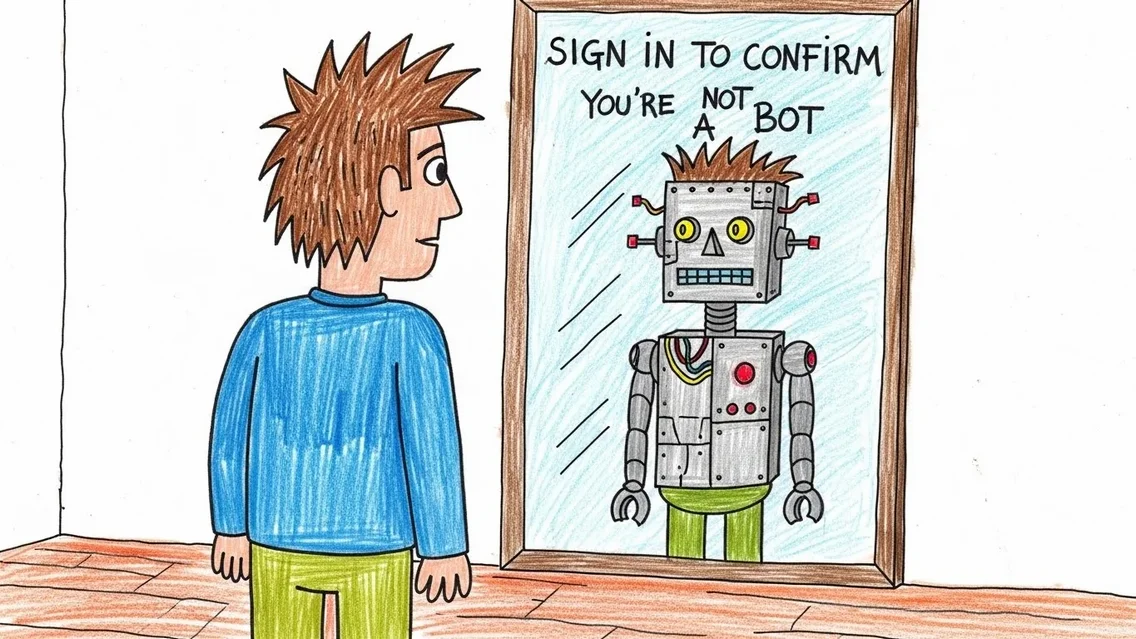
YouTube's "sign in to confirm you're not a bot" IFRAME player fix
YouTube's "sign in to confirm you're not a bot" IFRAME player fix

Published December 23rd, 2025

What happened?

Yesterday for the very first time, I encountered an issue with Zoom Player's YouTube playback based on the YouTube Javascript IFRAME player.

Trying to play a video resulted in a gray screen with a "sign in to confirm you're not a bot" message.

How do I sign in?

The only way to resolve this issue is to Sign in to YouTube, but how do you sign in from within Zoom Player?

Zoom Player's IFRAME player works through an integrated browser, Microsoft's WebView2 (based on the chromium project). As such, any browser cookies that store your login details are saved separately from any other browser you have installed.

So what can we do?

Enabling interactivity

The first thing is to enable YouTube interactivity in Zoom Player's advanced options which allows us to click elements within the YouTube playback window:
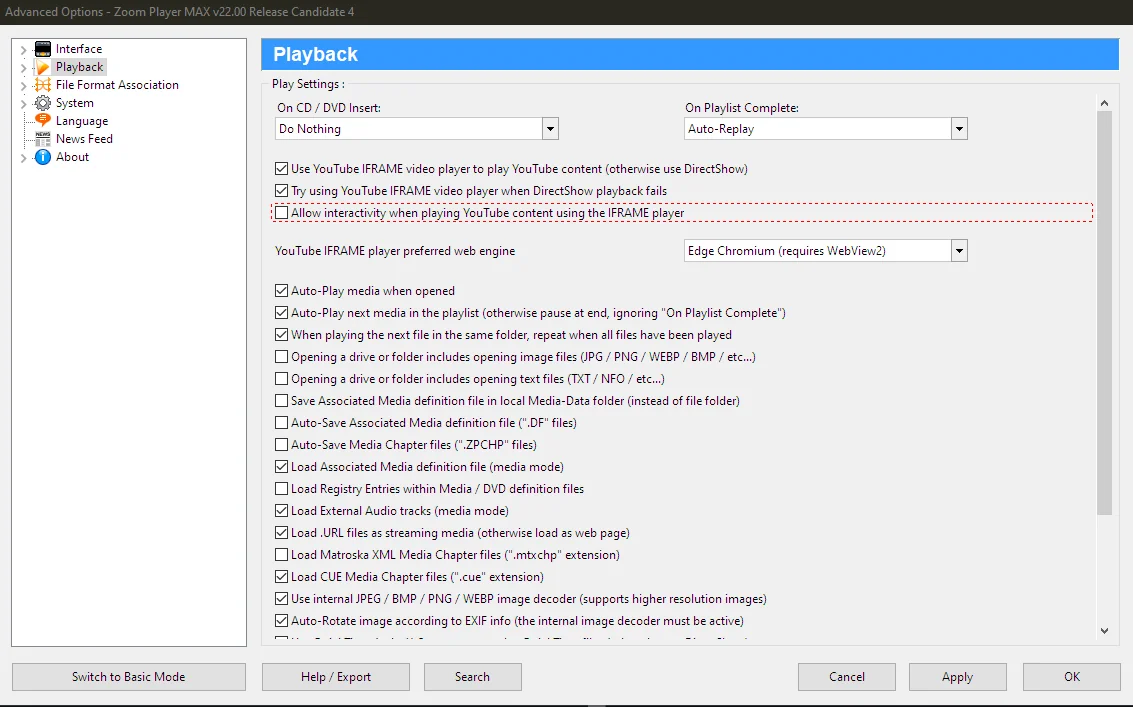
Zoom Player Advanced Options Window

Once enabled, load a new YouTube video.

Opening a secondary browser window

Click on one of the "other videos" that appear while paused at the bottom of the screen (it appears even with the sign in message):
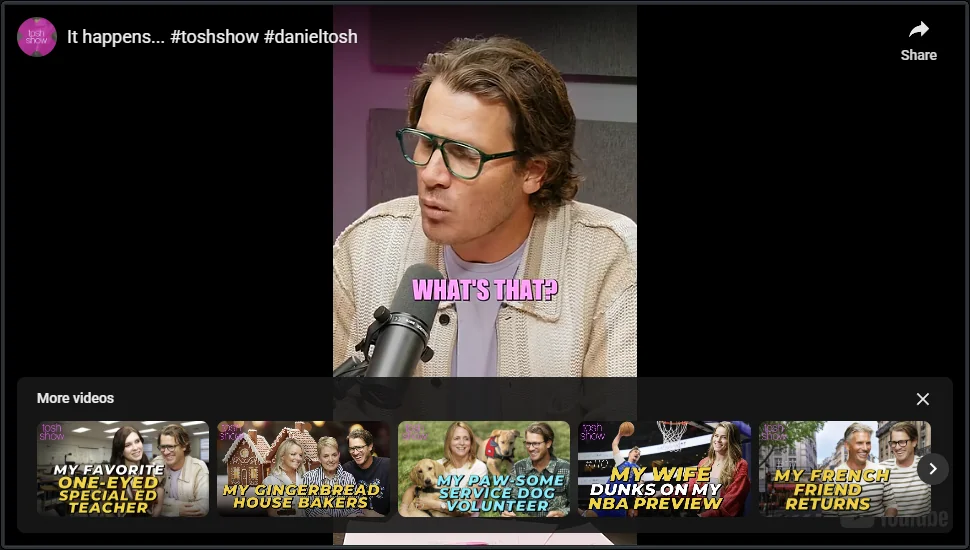
Zoom Player Advanced Options Window

Clicking a video will open a new browser window outside of Zoom Player, but this new window still uses the same browser instance as Zoom Player and saves the login credentials cookie in the Zoom Player's WebView2 cache folder (managed by Microsoft).

Finally, sign in

Use the new window to to access YouTube's login page and sign in to your google account. Once signed it, it's recommend that you disable "YouTube interactivity" in the advanced options (see screenshot above).

After signing in, loading a new YouTube video should now work.

P.S.

Enabling YouTube interactivity will make controlling Zoom Player a bit more difficult, you may need to use the Alt+"F4" keyboard shortcut to close Zoom Player (and later re-open) since keyboard/mouse controls may be captured by the YouTube window as long as a YouTube video is playing.


Attribution • Privacy Policy • Terms of Usage
Discord Facebook Youtube Reddit